Managing HS Codes
Harmonised System (HS) Codes are a numerical identifier used to classify and identify products during customs for international shipping. HS Codes are mandatory for all commercial international shipments to ensure the correct calculation for any duties or taxes and prevent unauthorised restricted shipments.
Last updated About 5 hours ago
Accessing HS Codes
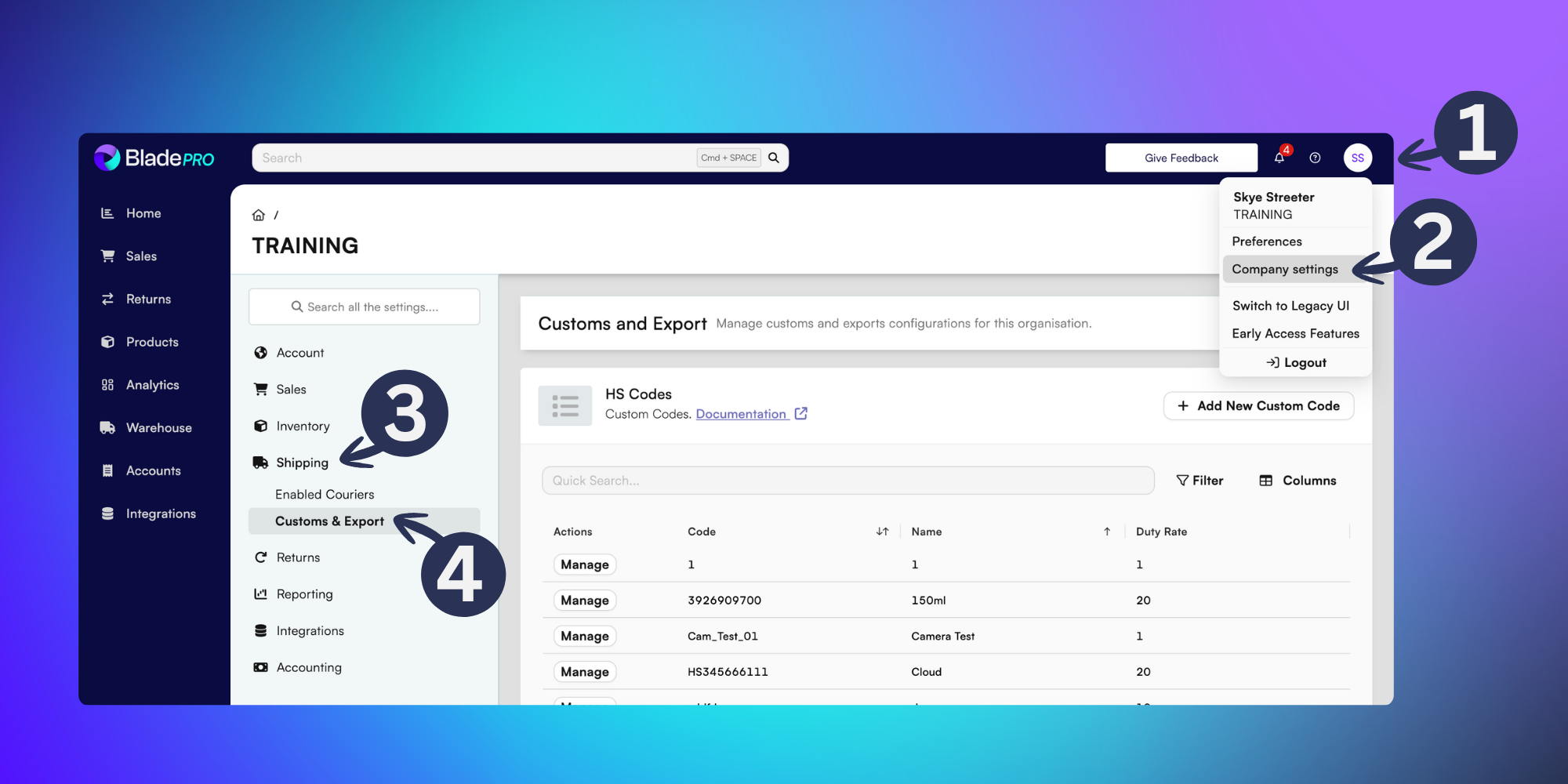
To access saved HS Codes click on your user initials in the top-right of BladePRO.
Click on Company Settings.
Select the Shipping tab in the left menu.
Then click on Customs & Export.
Managing HS Codes
From the Customs and Export page you can view the HS Codes which have been saved in your BladePRO account, as well as the duty rate for each code.
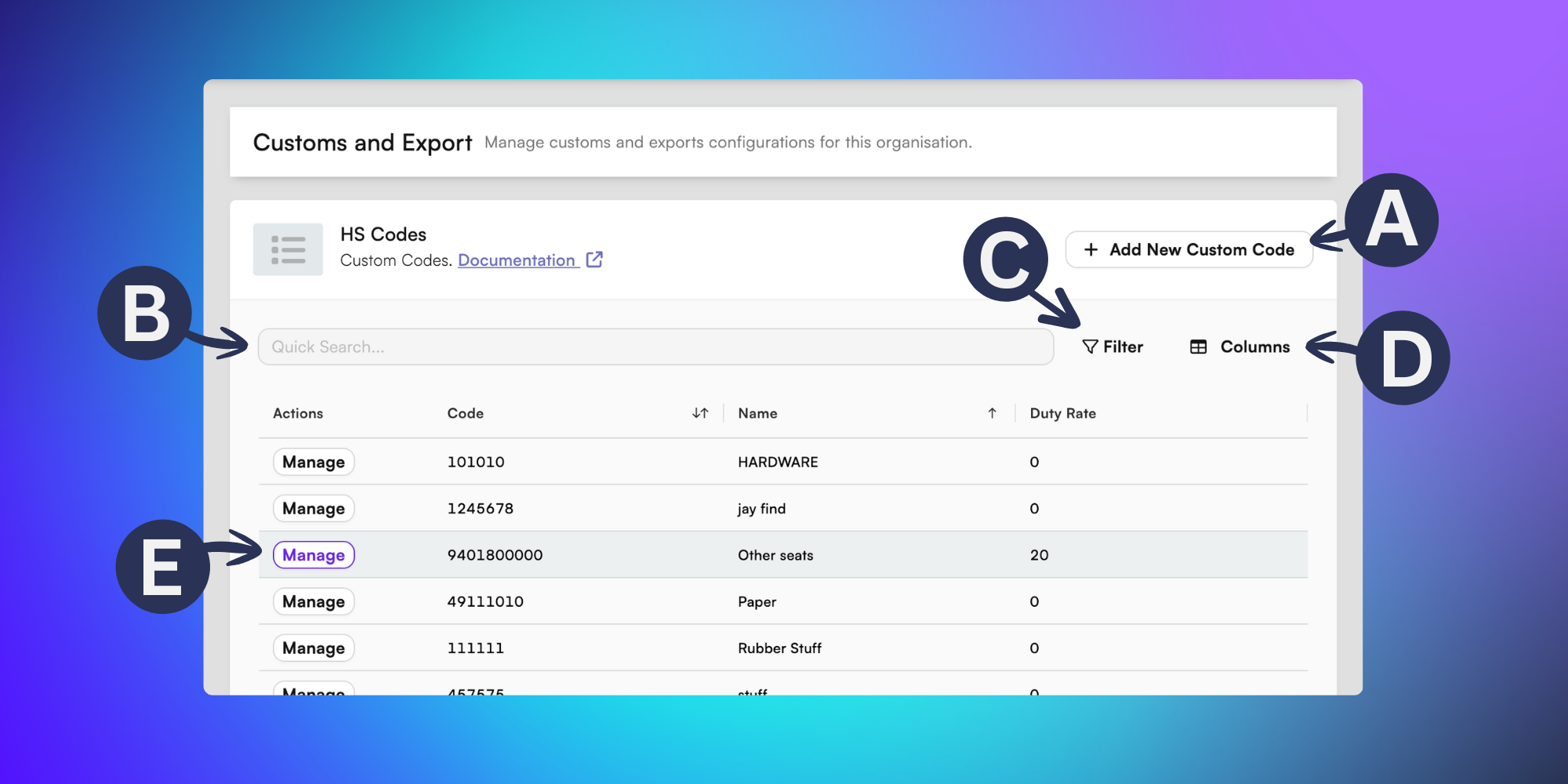
In this HS Codes section you can:
A) + Add New Custom Code - Add a new HS Code by adding the code, name and duty rate into the popup menu, click confirm to save.
B) Quick Search - Find HS Codes quickly and efficiently by typing a name or code into the quick field search bar.
C) Filter - Click the Filter option to refine the list of codes according to their product category or a specified duty rate.
D) Columns - Click the Columns option to change the visibility of the HS Codes table by choosing which columns you’d like to display, from a list of:
- Code: The numerical HS Code.
- Name: A user-defined name for the HS code. This can be a custom identifier aligned to a product name or category.
- Duty rate: A percentage of the value that you pay in customs based on the product.E) Manage - Click the Manage button to edit and update contact address details.