Inputting product classification tags
Product classification tags help dispatchers handle products correctly by highlighting attributes like fragility or perishability. These tags ensure the warehouse knows how to properly store, handle, and ship each product in your inventory.
Last updated 3 days ago
To add product classification tags you’ll need to open your product from the Product List by searching or filtering results.
Not sure how to find your product? Revisit our support article here
Adding product classification tags
Once you’ve opened your product, go to the Details page.
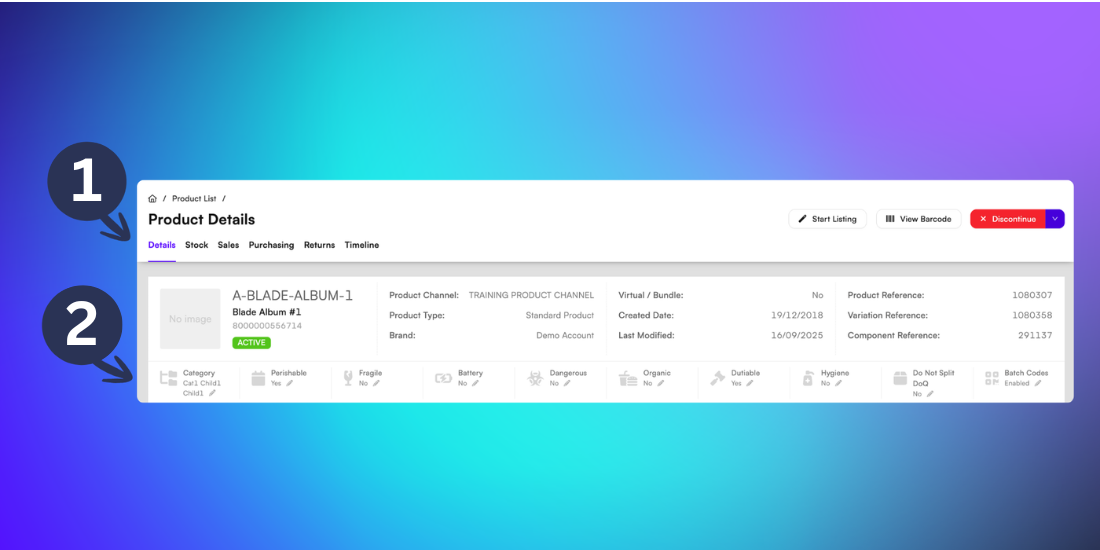
Each product classification will show underneath the core product information. Current product classification tags include:
Caution: Some classification tags may affect shipping options and costs. For example products tagged as Battery or Dangerous may have restricted shipping methods
Update any classification by clicking the pencil icon
Then select Yes/No from the dropdown menu.
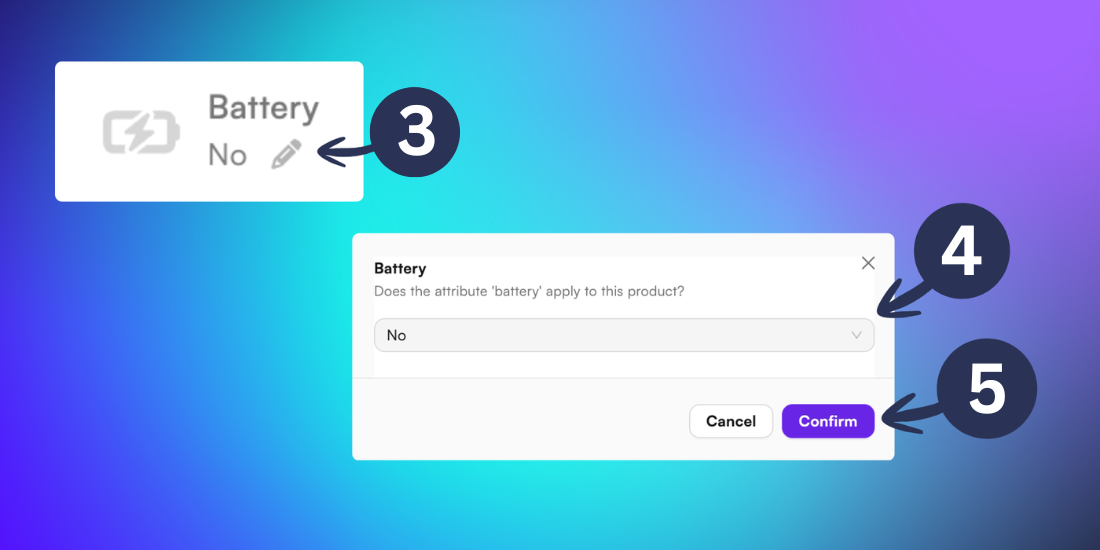
Then click Confirm.
For more support on managing batch codes, visit our support article here