Creating a new dashboard
You are able to create multiple dashboards in BladePRO to help your keep data organised and monitor KPIs at a glance.
Last updated 3 days ago
Adding a dashboard
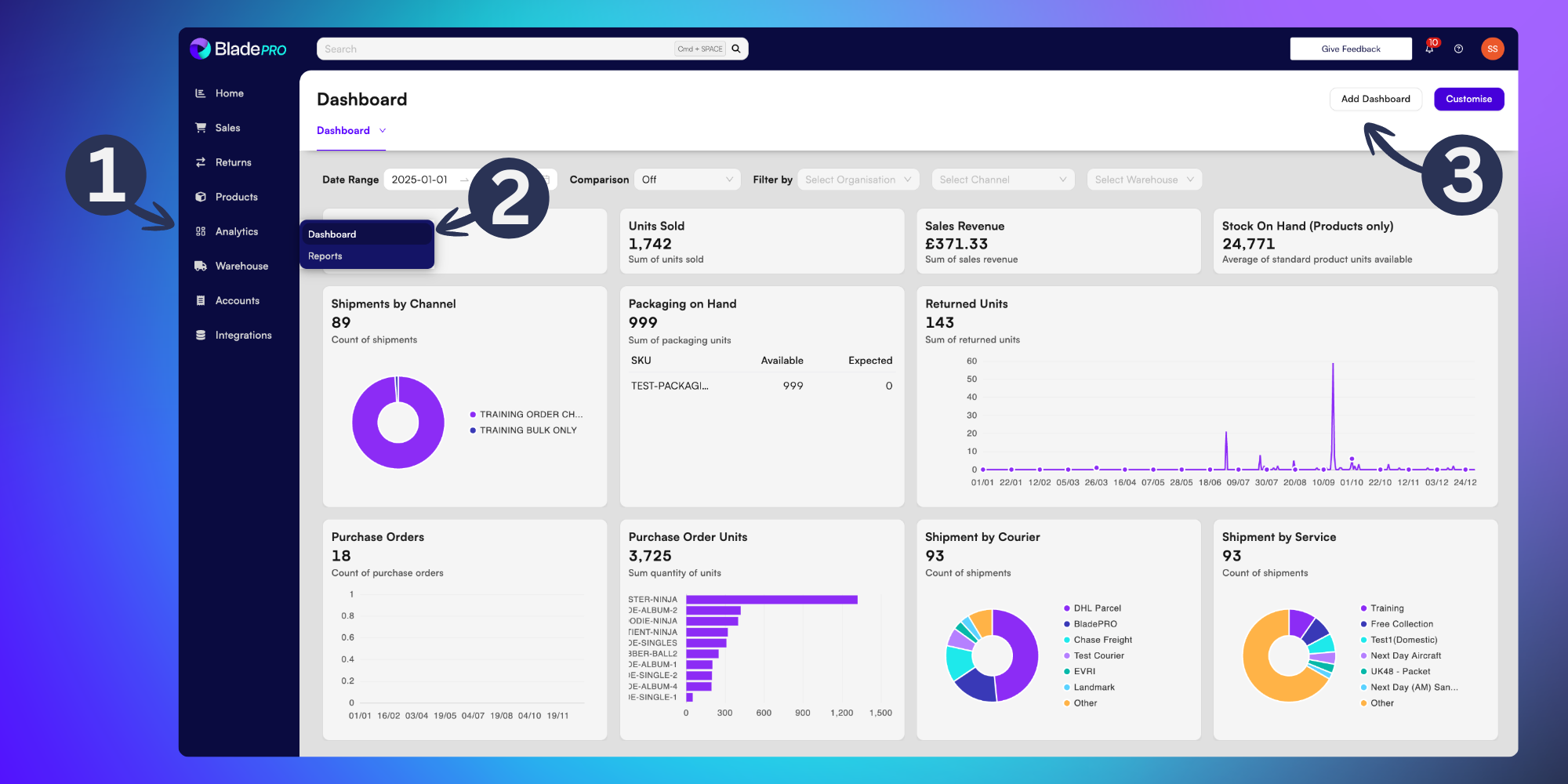
To access your dashboard, click Analytics (squares icon) from the left menu
Then click Dashboard from the options
Once you’re in your Dashboard page, select the Add Dashboard button in the top-right of the page
From here, you’ll load a blank grey dashboard. Add data fields to create widgets by selecting them from the left side of the screen.
To rearrange the layout of your data widgets, click and drag them by selecting the 6 dots in the corner of the widget.
Click Save to save your changes.
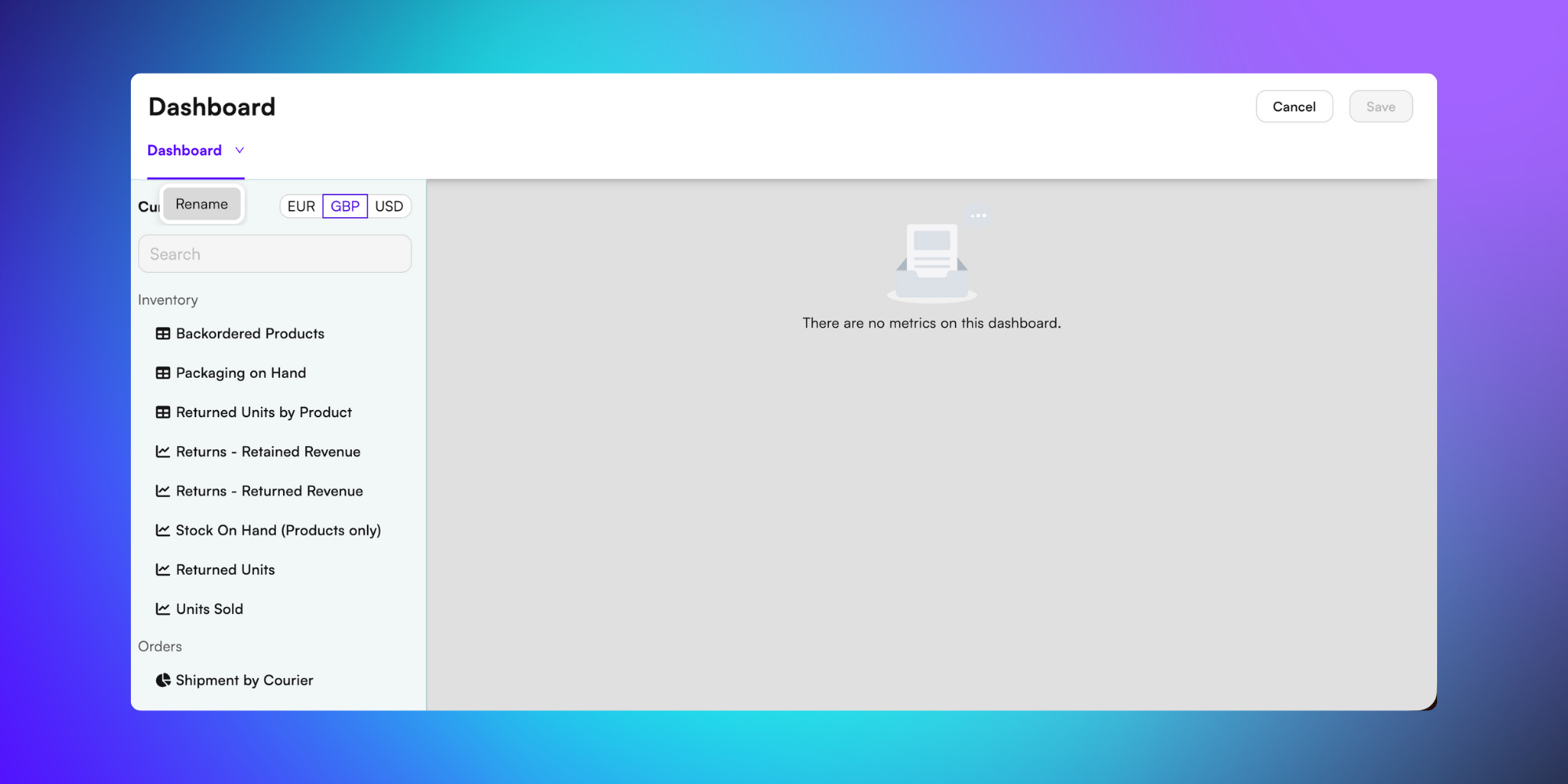
Tip: If you’ve got multiple dashboards it’s a good item to give them unique names to help differentiate them on the Dashboards page. To rename your Dashboard click the down arrow in your dashboard tab at the top of the page and select Rename from the dropdown menu.