Reviewing landed prices for a product
Landed prices are the total cost of a product once it has arrived at the warehouse, including shipping, handling and customs fees.
Last updated 3 days ago
To review or adjust the landed price for a product you’ll need to open your product from the Product List by searching or filtering results.
Not sure how to find your product? Revisit our support article here
View and adjust landed prices
Once you’ve opened your product, go to the Stock page and open the Landed Prices tab from the left menu.
In this page you can view the locations that the product is stored in, including the number of units and landed price for each location.
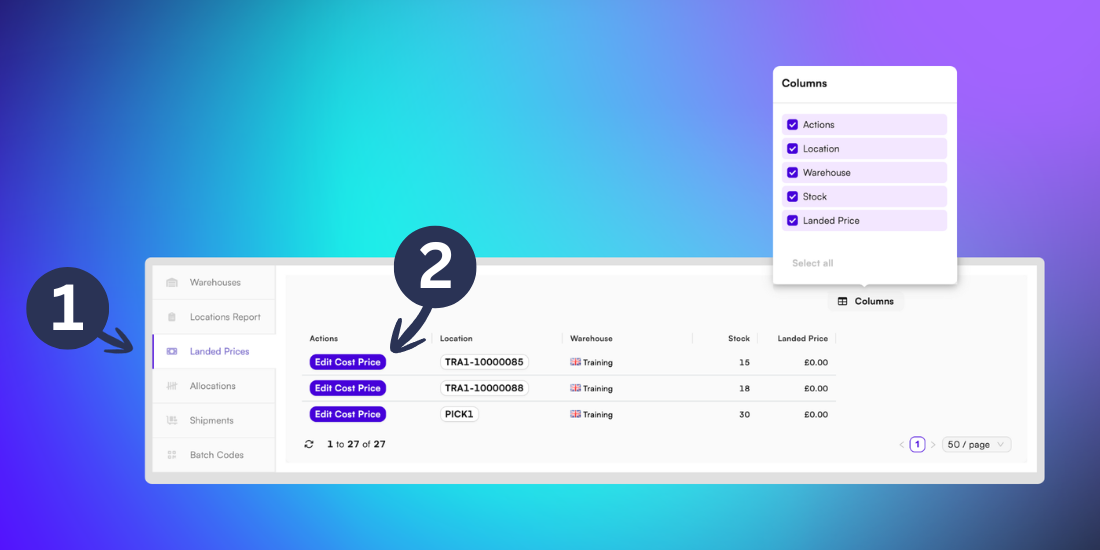
You can update the landed price by selecting the Edit Cost Price button in the Actions column.
Tip: If the Actions column isn’t displaying, click the Column button to ensure the Actions column is selected.