Finding a product in the Product List
Quickly locate specific products in BladePRO using the Quick Search bar or advanced filtering options.
Last updated 3 days ago
Access the Products List
The Product List page contains a list of all products held by your warehouse(s), as well as discontinued products.
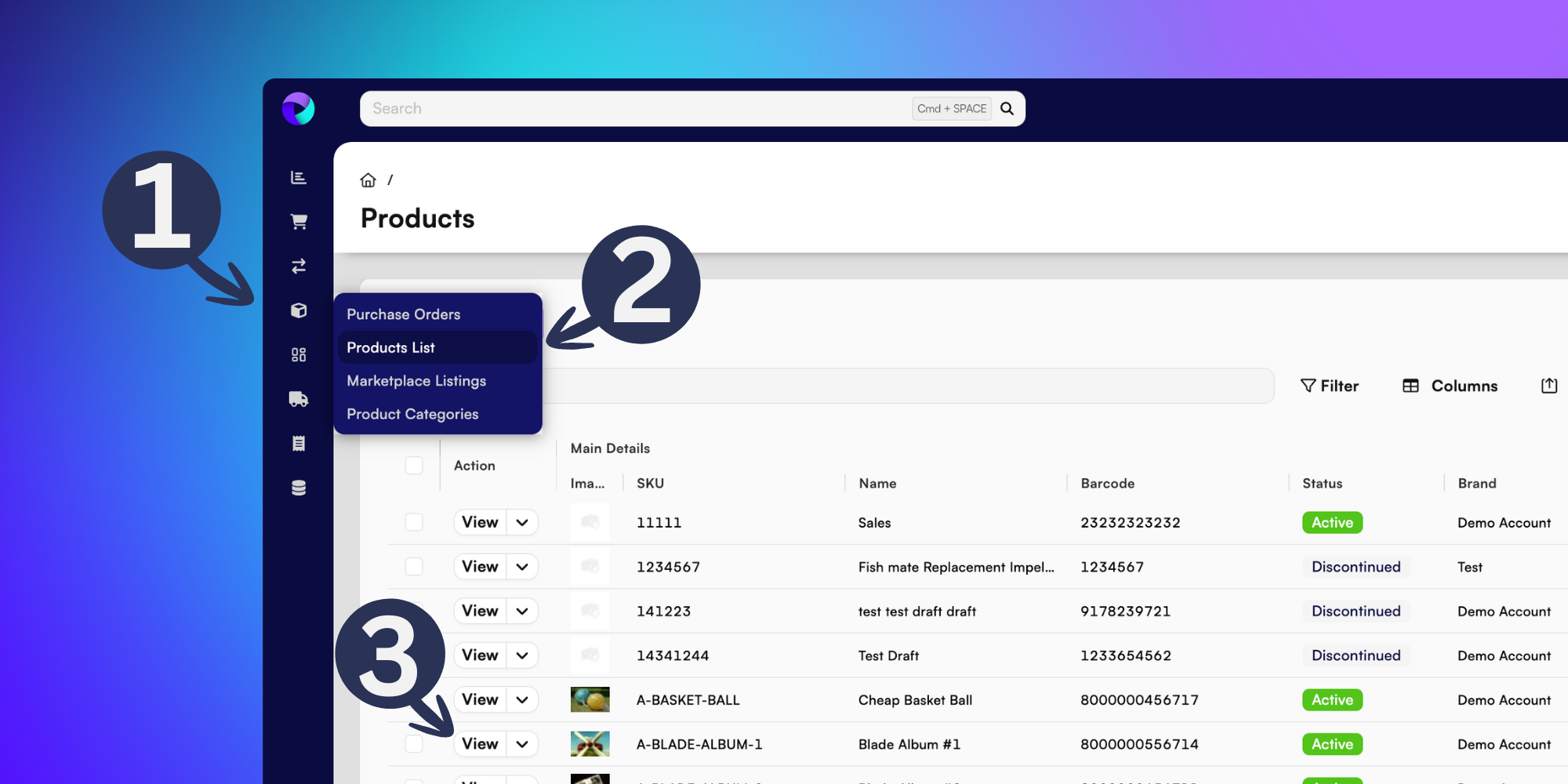
To navigate to the Products List page, click Products (the box icon) from the left menu.
Then select Products List.
You can view the page for any active or discontinued product by clicking the View button.
Quick Search and Filtering
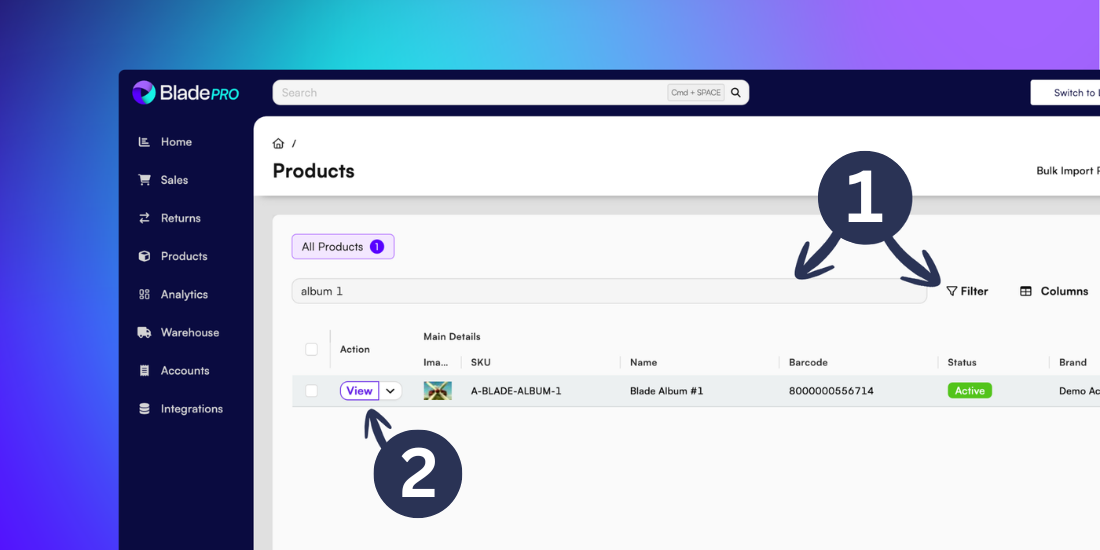
If you know the SKU, Name or Barcode of your product Quick Search is the fastest way to locate it in BladePRO. Type your search query into the search bar and then click Enter to display matching results.
The Filter option allows you to search for multiple criteria simultaneously, ideal if you’ve got a large number of individual products. Select the Filter option to apply your chosen filters then click Apply to show any matching results.
To open the page for your product, click the View button.
Product page
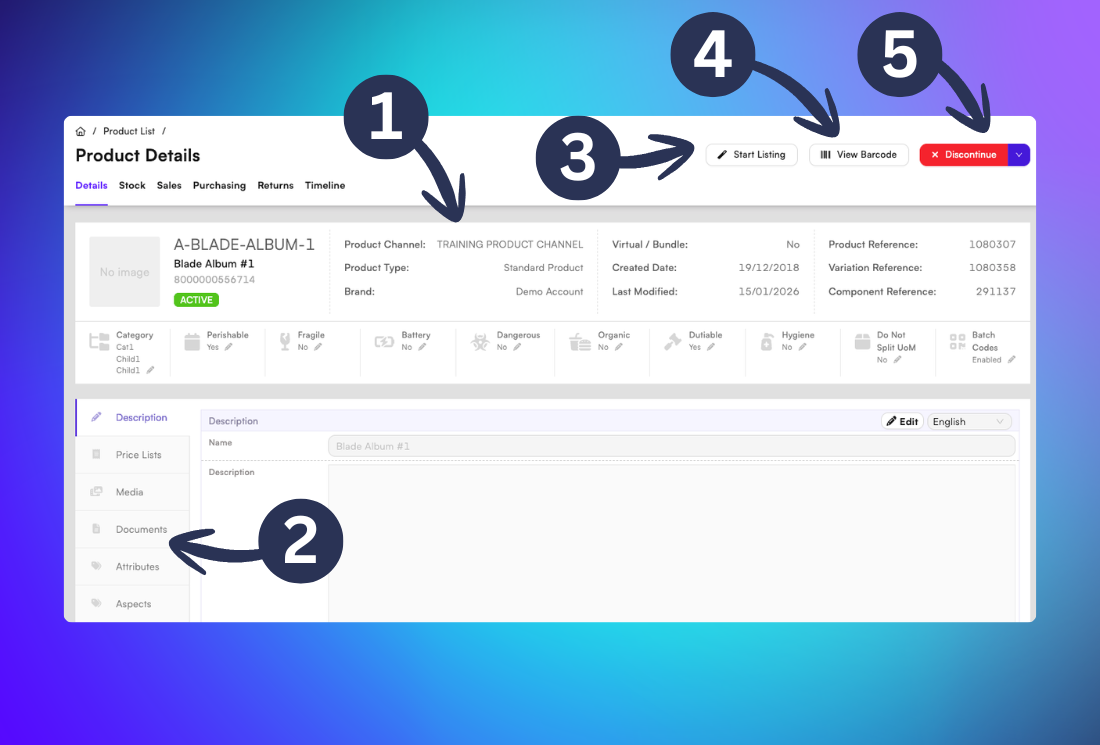
Once inside the product page you can navigate between viewing the Product Details, Stock, Sales, Purchasing, Returns and a Timeline view.
In the Product Details section you can:
View General information about the product, including:
The Product Channel, Brand, Reference and characteristicsView more details in the side menu, including:
The product description, Price Lists, product-specific Despatch Instructions, Units of Measure, Customs details, and moreStart a new listing for the product on available marketplaces
View the product barcode which can be saved as a PDF to your device
Discontinue the product and stop actively selling it
Want more guidance on checking product stock? Visit our support article here