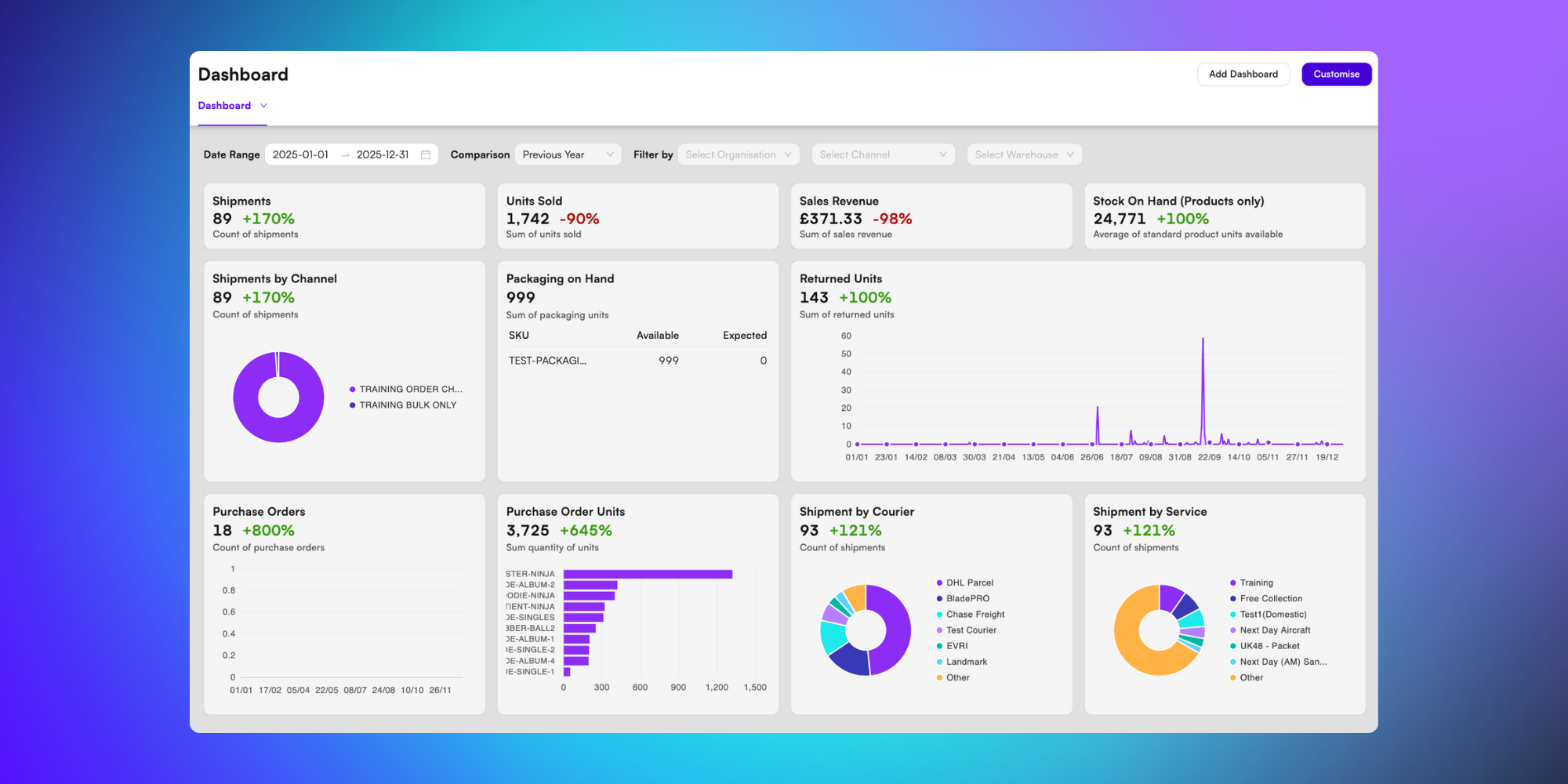
Viewing your dashboard
The BladePRO Dashboard pulls together warehouse, sales, inventory, and purchasing data so you can see an overview of relevant information at a glance, without jumping between multiple reports. Here's how to find your dashboards on BladePRO.
Last updated 4 months ago
To find the Dashboard, click Analytics in the left menu, and then Dashboard from the popup.
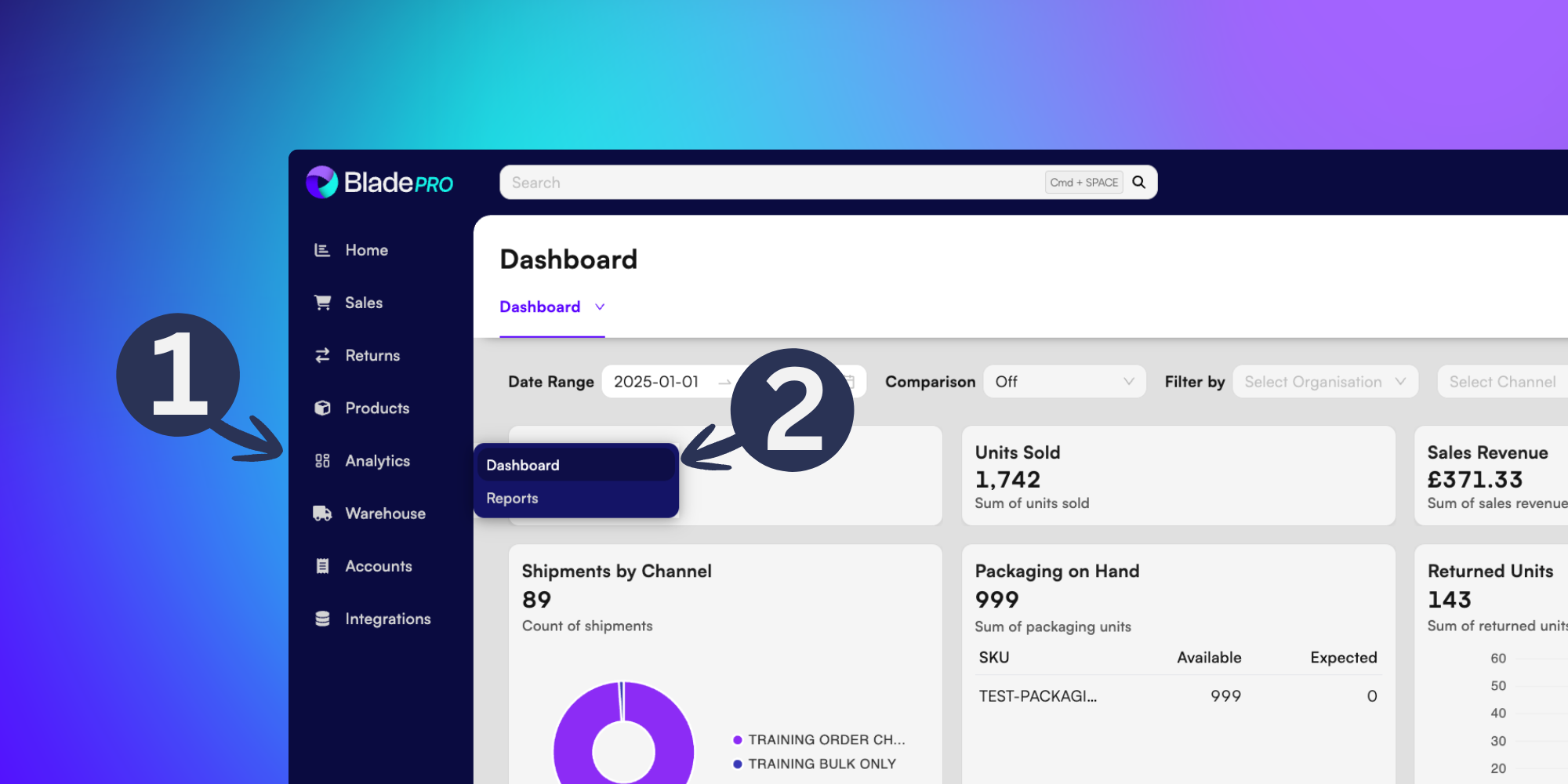
Use the filtering pane above to adjust:
Date range - Select a starting date and an end date from the calendar menus to view data inside a specific date range.
Comparison - Choose Off to remove comparison data, or opt to compare data with a Previous Period or Previous Year. This will add % change measurements to your charts.
Filter by - Choose to refine dashboard data by Organisation, Channel and/or Warehouse, by selecting relevant options from the dropdown menus.
Drag your cursor over the charts to interact with them, exploring charted data points in more detail.