Finding an order in the Order List
Use the Quick search or Filter options to find specific orders quickly and efficiently in BladePRO.
Last updated 4 months ago
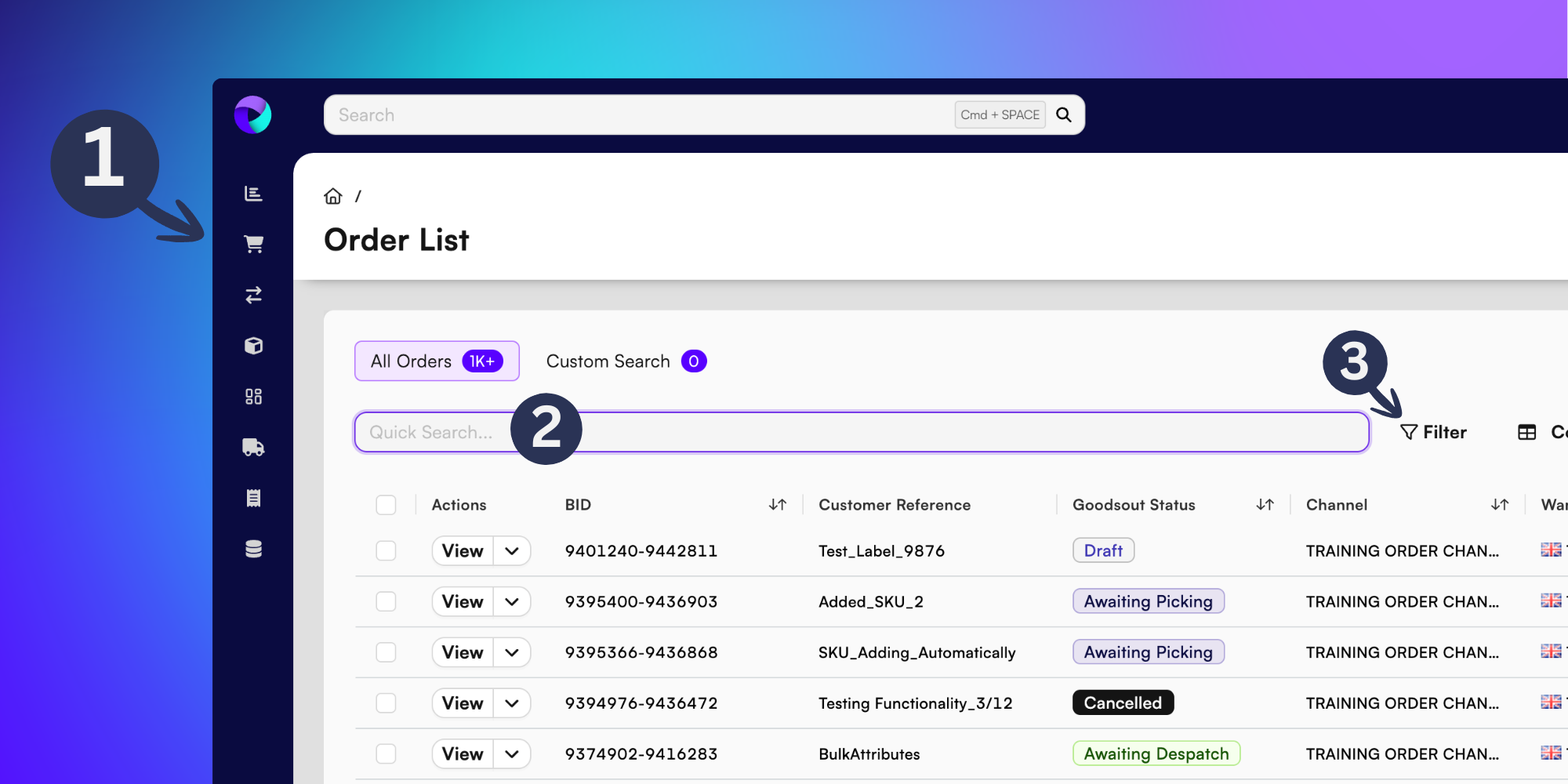
You’ll find yourself in the Order List page straight after logging in to BladePRO. If you’re coming from elsewhere in the platform, find the Order List by selecting Sales - the shopping trolley icon (1) - from the left menu.
Quick Search
Type the Customer Reference into the Quick Search (2) bar to quickly find the order you need.
Filtering the Order List
Select Filter (3) on the right of the Quick Search bar.
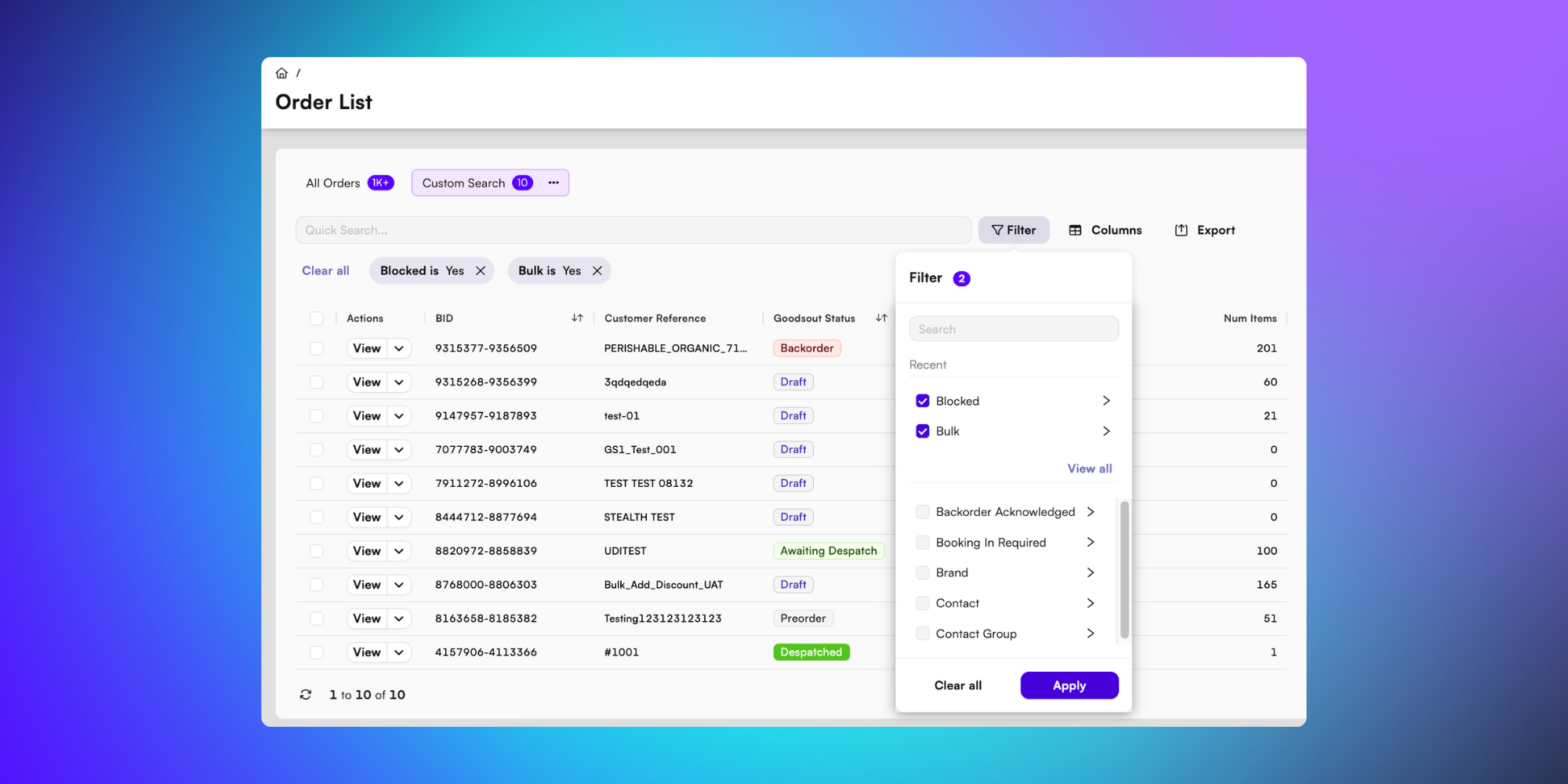
From here, you can refine your Order List from a range of options in the dropdown menu.
You can scroll or search for filtering options using the search bar inside the filtering function, or select View all to browse the full list.
You can select multiple filters at once to further refine your search.
Once you’ve selected all your choices, click Apply to see results.
That’s how you can find your order quickly and efficiently on BladePRO!