Adding a Booking-in Required tag to an order
Third party deliveries may require a booking in reference and delivery date before dispatch - this needs to be flagged in BladePRO. Read our handy guide to learn how to tag this in your orders.
Last updated 4 months ago
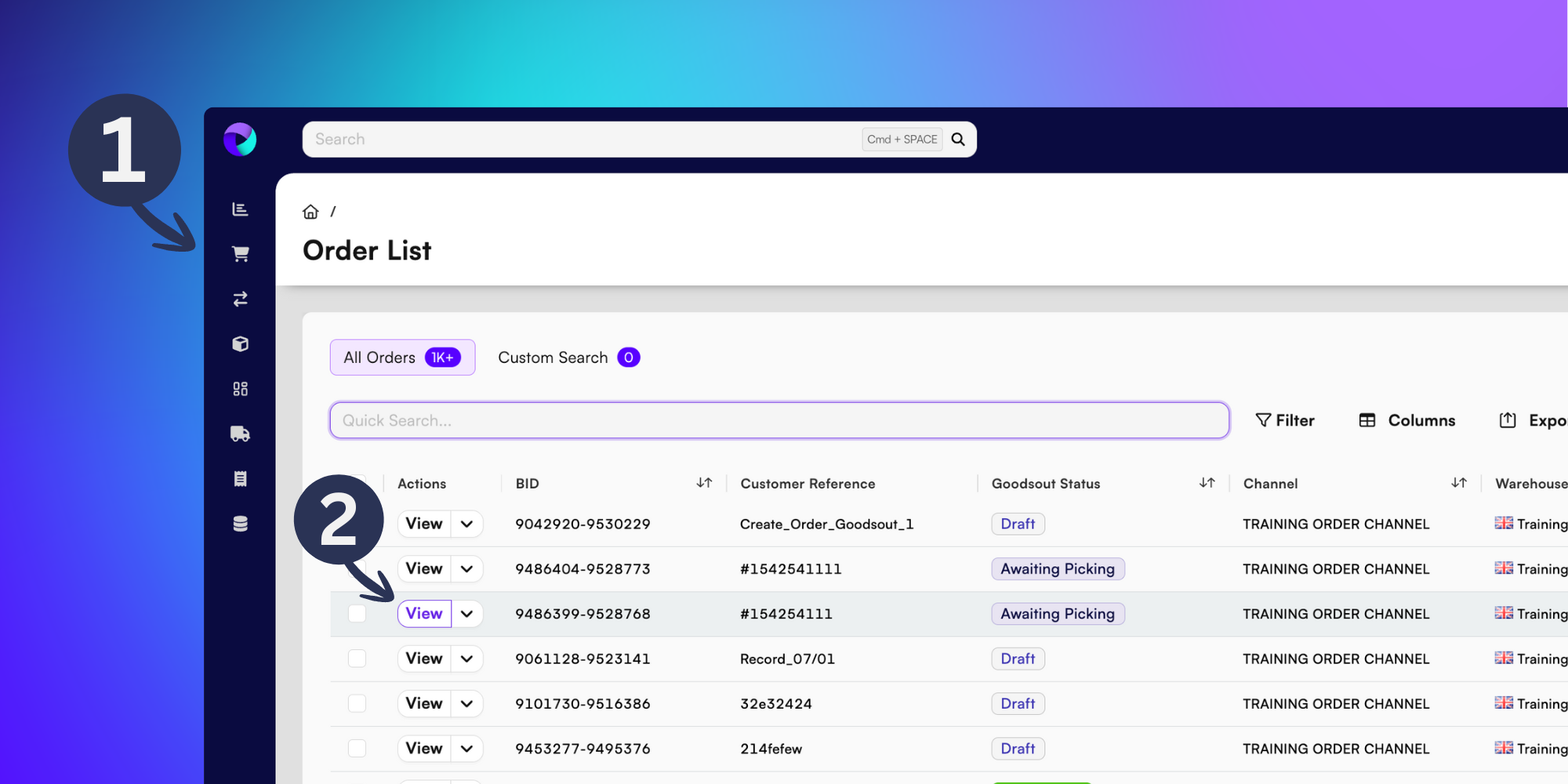
Locate your order in the Order List page (1) and click View in the Actions column (2).
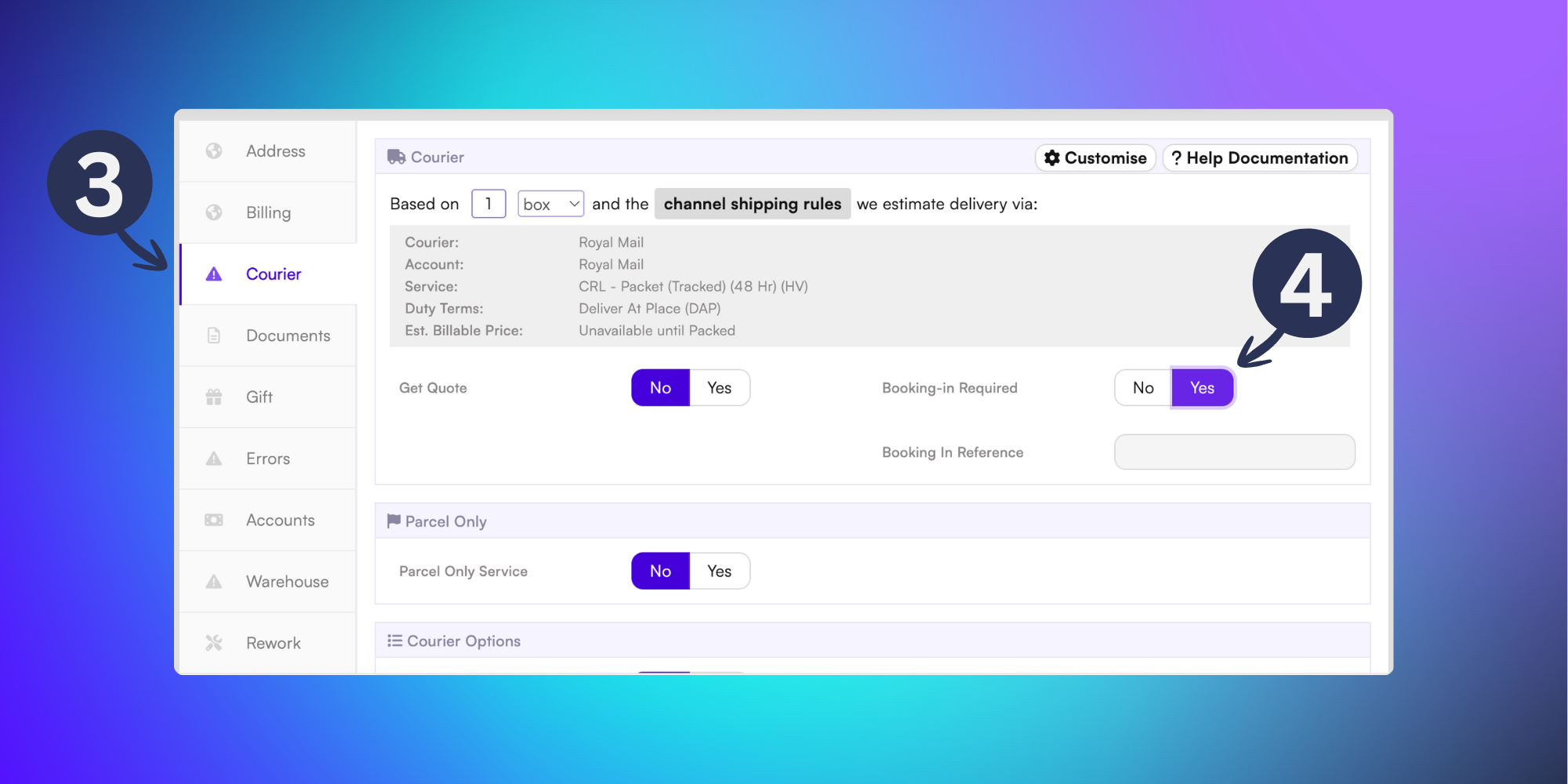
Once inside the Order Details page, click the Courier tab (3) and indicate Yes in the Booking-in Required field (4).
This order will now appear in the Account Health Dashboard, indicating that it needs a booking reference and delivery date before it’s dispatched.
Now you know how to add a booking-in reference!