Viewing your product stock
The Product Stock page gives you a full breakdown of your inventory, listing on-hand stock, available stock and expected stock, so you can easily monitor your inventory levels.
Last updated 3 days ago
To view your stock for a specific product you need to open your product page from the Product List by searching or filtering results.
Not sure how to find your product? Revisit our support article here.
Product Stock page
Once inside the product page you can navigate between viewing the Product Details, Stock, Sales, Purchasing, Returns and a Timeline view.
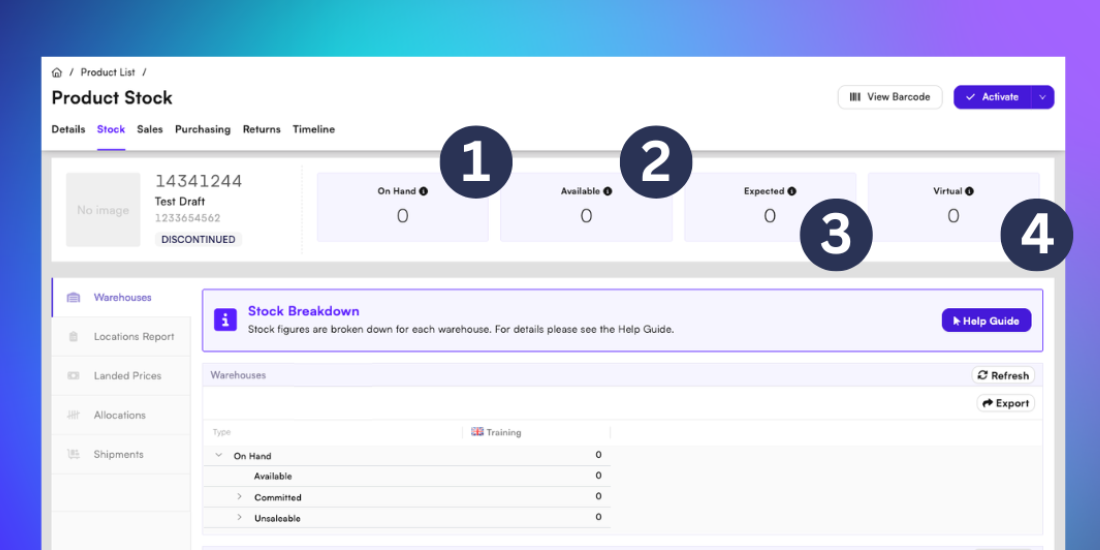
In the Stock page you can:
View On Hand stock - the amount of stock across all warehouses
-Includes stock that can be sold as well as stock that is in unsaleable condition
-Includes stock that has already been allocated or picked to an order
-Does not include expected deliveries from purchase orders
-Does not include virtual stockView Available stock - the amount of stock which is ready to be sold
-Does not include stock which has been allocated to an order or picked
-Does not include stock which is expired or under investigation
-This figure is normally used when calculating remaining stock to customersView Expected stock - the amount of stock in Purchase Orders waiting to be delivered
View Virtual stock - the amount of stock in virtual (alternative) warehouses
Please note: Virtual warehouses are the responsibility of the organisation, therefore the summary and criteria of stock definition may vary
Viewing product distribution across warehouses
In the Warehouse tab of the Stock page you can view a more detailed breakdown of your inventory and specific status of your products.
The Warehouse tab includes the following information as a breakdown for each warehouse:
On-Hand stock - the amount of stock across all warehouses
-Available stock: All stock ready to be sold but not committed to an order
-Committed (Allocated) stock: Stock committed to a sale but not yet picked
-Committed (Picked) stock: Stock which has been picked but not yet despatched
-Unsaleable stock: Stock which has been reserved, expired, or is under investigationExpected stock - the amount of stock in Purchase Orders waiting to be delivered
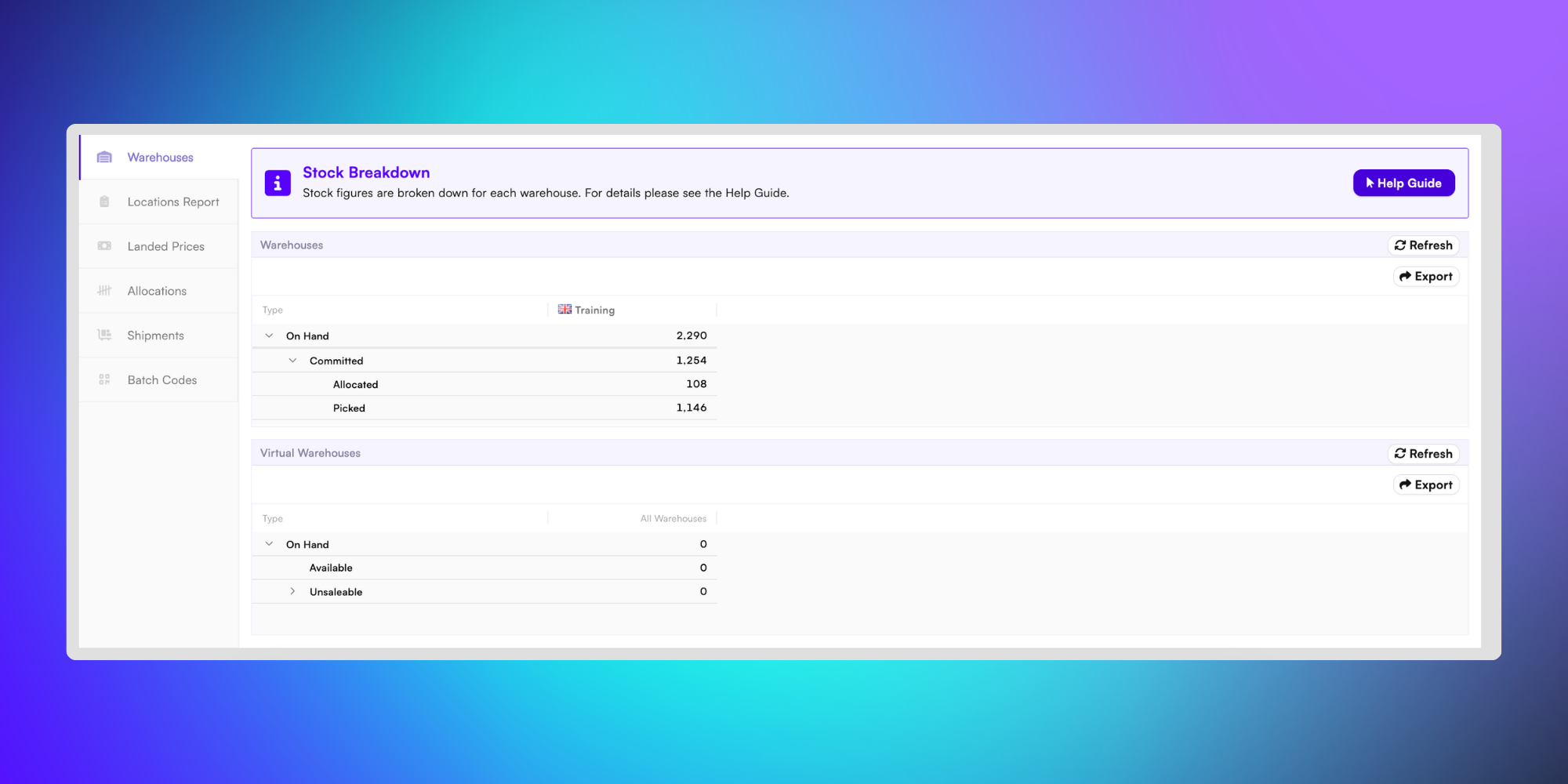
Tip: You can export your inventory data as a XLSX file at any time, which can be opened in Microsoft Excel for easy data processing and analysis